
How to Connect Your Chaturbate Account
Learn how to link your Chaturbate account to StreamerSuite by generating an auth token on Chaturbate and connecting it in your dashboard settings.
Linking your Chaturbate account to StreamerSuite gives you access to broadcast analytics, automated tools, and real-time event tracking. The process takes about 2 minutes and requires you to generate a secure auth token on Chaturbate and paste it into StreamerSuite.
Step 1: Open the integrations page
Log into your StreamerSuite dashboard and navigate to Settings → Integrations, or go directly to streamersuite.com/dashboard/settings/integrations.
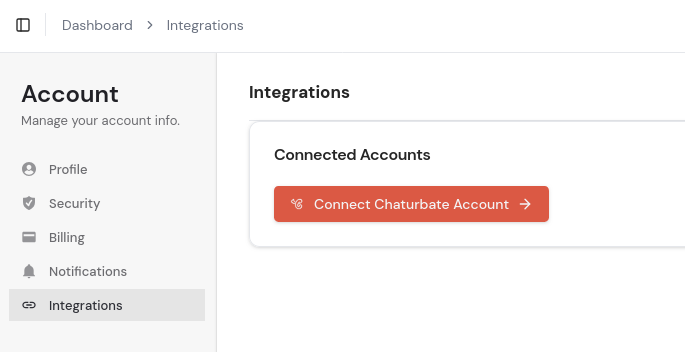
Click the button that says Connect Chaturbate account. A modal (pop-up box) will appear on screen asking you to enter an auth token URL. Leave this tab open — you'll come back to it in Step 3.
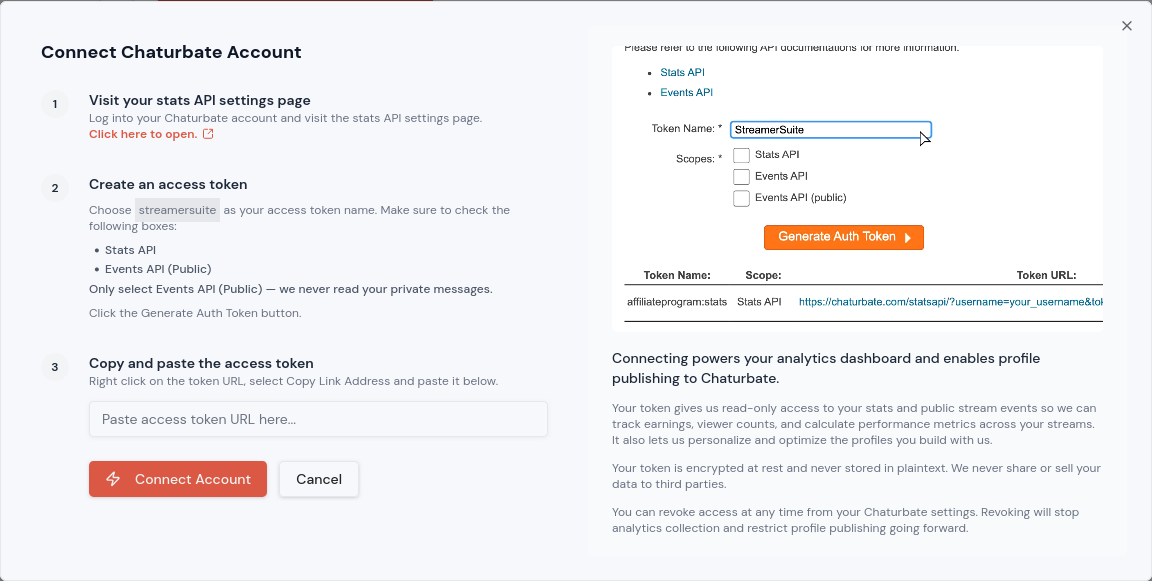
Step 2: Generate an auth token on Chaturbate
Open a new browser tab and go to: chaturbate.com/statsapi/authtoken/
Note: You must be logged into your Chaturbate broadcaster account to access this page. If you see a login screen, sign in and then return to this URL.
On this page you'll see a short form. Fill it in as follows:
Token name — Click the text box and type a name for your token. We recommend using streamersuite so you can easily identify it if you need to manage your tokens later.
Permissions — Below the name field you'll see two checkboxes. Tick both of them:
- Stats API
- Events API (public)
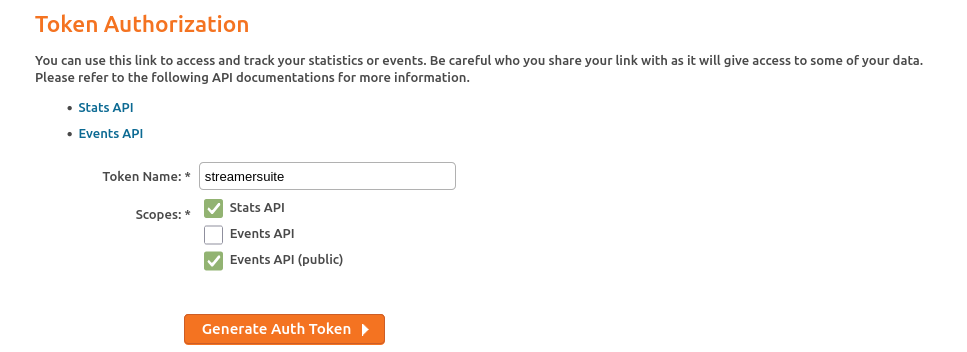
Both permissions are required. StreamerSuite will not function correctly if either is missing.
Once you've filled in the name and ticked both boxes, click the orange Generate auth token button. A URL will appear on the page. Select and copy the entire URL.
Step 3: Paste the token URL into StreamerSuite
Switch back to your StreamerSuite tab where the modal is still open. Click into the input field and paste the URL you just copied from Chaturbate. Double-check that you've pasted the full URL.
Click Save and connect.
StreamerSuite will verify the token and confirm the connection. Your Chaturbate account is now linked. It may take a few minutes for your data to start syncing for the first time.
Click Play to watch a short demo video
Troubleshooting
I can't access the Chaturbate token page. Make sure you're logged into a Chaturbate broadcaster account. The token page is not available to viewer accounts.
StreamerSuite says my token URL is invalid. Make sure you copied the full URL that appeared after clicking "Generate auth token" — not the URL from your browser's address bar.
I forgot to tick both permission boxes. You'll need to go back to Chaturbate and generate a new token with both boxes checked. You can also revoke old tokens from the same page.
Need help?
If you run into anything not covered here, reach out to our support team at support@streamersuite.com and we'll get you sorted.